ASIO4ALL Official Home

ASIO4ALL Official Home

Universal Windows ASIO Driver

  • Home
  • Overview
    • Version History
    • Download
    • Developer Resources
  • Help
    • FAQFrequently Asked Questions
    • Instruction manual

ASIO4ALL is a free low-latency audio driver that allows users to achieve better audio performance and reduce latency when recording or playing back audio on Windows systems. It provides an ASIO interface for software that supports ASIO drivers.

ASIO stands for Audio Stream Input/Output, a protocol developed by Steinberg that allows for high-performance, low-latency audio recording and playback.

Audio latency is the time delay between when an audio signal is input or output and when it is processed by your computer’s audio system. Higher latency can cause noticeable delays in playback or recording.

ASIO4ALL bypasses the standard Windows audio processing (which can introduce delays) and allows audio to be transferred more directly between hardware and software, resulting in reduced latency.

ASIO4ALL is available for Windows operating systems.

Yes — ASIO4ALL works with most audio applications that support the ASIO protocol.

Yes — ASIO4ALL can be used with many built-in computer audio devices and external interfaces.

Yes — ASIO4ALL is straightforward to install and use. After installation, select it as your ASIO driver in your audio software and configure device settings in the driver control panel.

Yes — ASIO4ALL runs only when an ASIO host application uses it and does not overwrite or replace any other system components.

No — ASIO4ALL is free to download and use for end users, including for commercial purposes.

Copyright © Michael Tippach

Imprint | Privacy

Powered by WordPress

ASIO is a trademark of Steinberg Media Technologies GmbH.  All other trademarks are the property of their respective owners, used for product identification purposes only.

  • Introduction

    Introduction

    Welcome to ASIO4ALL! This manual enables you to make the most of your ASIO4ALL installation, especially when it comes to the advanced features newly introduced in this Version of ASIO4ALL. In order to achieve the best possible results with ASIO4ALL it is recommended that your computer is configured accordingly. For updates, help and further information,

    more

  • Getting Started

    Getting Started

    Setting up your audio software In order to make use of ASIO4ALL, you need to configure your audio software accordingly. How you would do this depends on your particular software application. Generally, you would always enter the audio configuration menu and select ASIO -> ASIO4ALL v2. There now should be a button to launch the

    more

  • WDM Device List

    WDM Device List

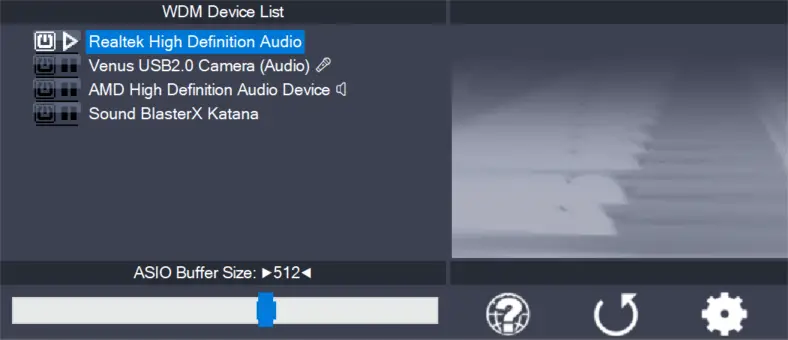
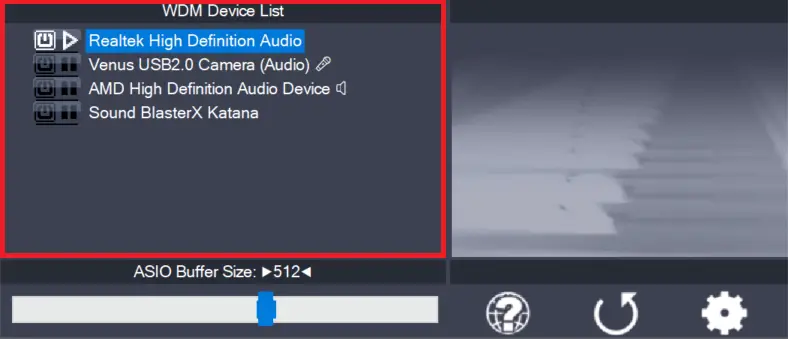
    This is the list of audio devices found in your system. Highlight the device that you want to make changes to. Note: All parameter changes always only apply to the device currently highlighted! Activate the device you want to use by clicking on the button next to the device name! In the picture above, the

    more

1 2 3 … 7
Next Page